GA4’s event-based model is a genuine improvement over the old page-view world, but it also trips up a lot of lead-gen businesses that were used to the previous way of thinking. Conversions in GA4 are just events you have marked as important, which is powerful and confusing in equal measure. Here is a clean way to set up GA4 conversion tracking when your goal is generating leads.
Everything is an event
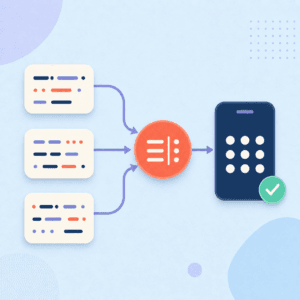
The mental shift is that in GA4, almost everything is an event. A page view is an event. A form submission is an event. A click is an event. Conversions are not a separate species; they are events you have designated as key events (what GA4 now calls the actions that matter most). Once you accept that, the setup becomes clear: define the events you care about, then mark the important ones as conversions.
For a lead-gen business, the events worth defining usually include form submissions, booking or call actions, and meaningful engagement steps that indicate someone is moving toward becoming a lead.
Define your key events precisely
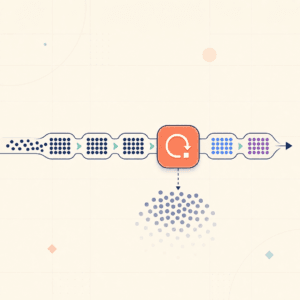
The most common mistake is imprecise events. If your “lead” event fires on any form submission, including newsletter signups and contact-us messages, your conversion count mixes very different things. Define events tightly enough that each one means something specific. A demo request and a newsletter signup are both valuable, but they are not the same event and should not be counted as the same conversion.
Precise events pay off everywhere downstream. Clean, specific events make your reporting meaningful and your comparisons honest. Vague events produce numbers that technically exist but tell you nothing.
Mark the right events as conversions
Once your events are defined, mark the ones that represent real lead-gen value as conversions. Be selective. Not every event deserves to be a conversion, and marking too many dilutes the signal. The events you mark as conversions are the ones you will optimize toward and report on, so reserve that status for actions that genuinely represent progress toward a lead or a customer.
This mirrors the discipline that matters in Google Ads: a tight definition of what counts beats a broad one, because everything you optimize toward should be something you actually want more of.
Connect it to the rest of your stack
GA4 does not live alone. Linking it to Google Ads lets your conversion data inform bidding, and keeping your GA4 events consistent with how Meta and your CRM define the same actions keeps your whole measurement stack coherent. The events you define in GA4 should map to the same canonical actions your other platforms track, so you are not reconciling three different definitions of “lead.”
Verify it works
As with any tracking, test before you trust. Trigger each key event and confirm GA4 records it correctly, then confirm the ones marked as conversions show up where you expect. Unverified tracking is guesswork, and guesswork gets expensive when it drives spend.
A precise, well-structured GA4 setup gives lead-gen teams honest numbers to work from. Growth Wizard builds GA4 conversion tracking with tightly defined events and clean connections to the rest of your stack, so your lead reporting reflects reality and feeds good decisions.